Organize your tabs
with incredible ease

Group your tabs with AI, search everything you have read, put idle tabs to sleep and back it all up to your own Google Drive.

Everything you need to stay focused

Powerful tools built into a single, lightweight extension.

01

AI Tab Organization

Click Organize Tabs and AI sorts your tabs into named groups. Pick a preset (by site, by project, work vs. leisure) or write your own instructions, approve the proposal first if you want, and undo it in one click. Also from the Chattto icon's right-click menu.
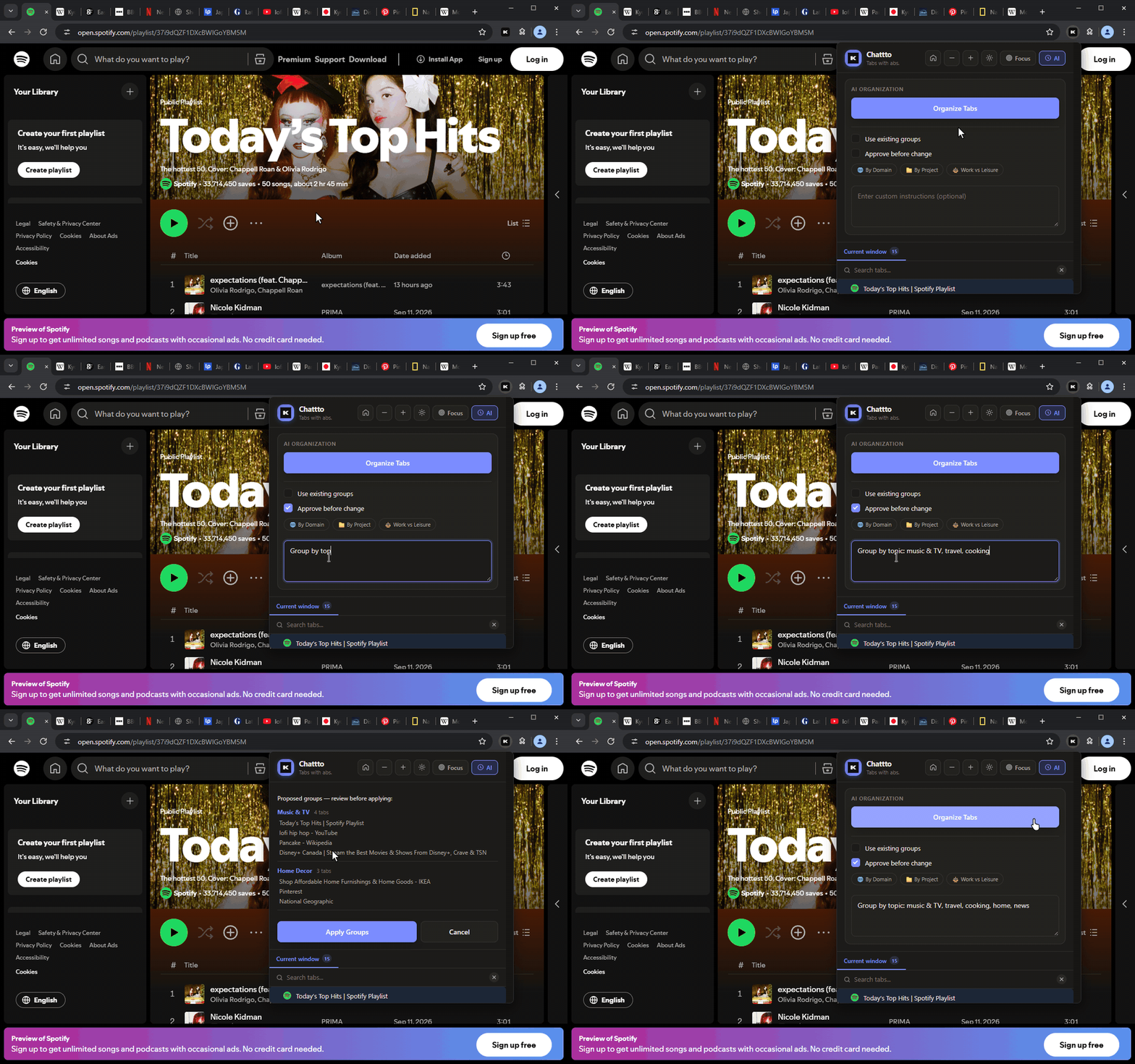
AI tab organization
02

Searchable History

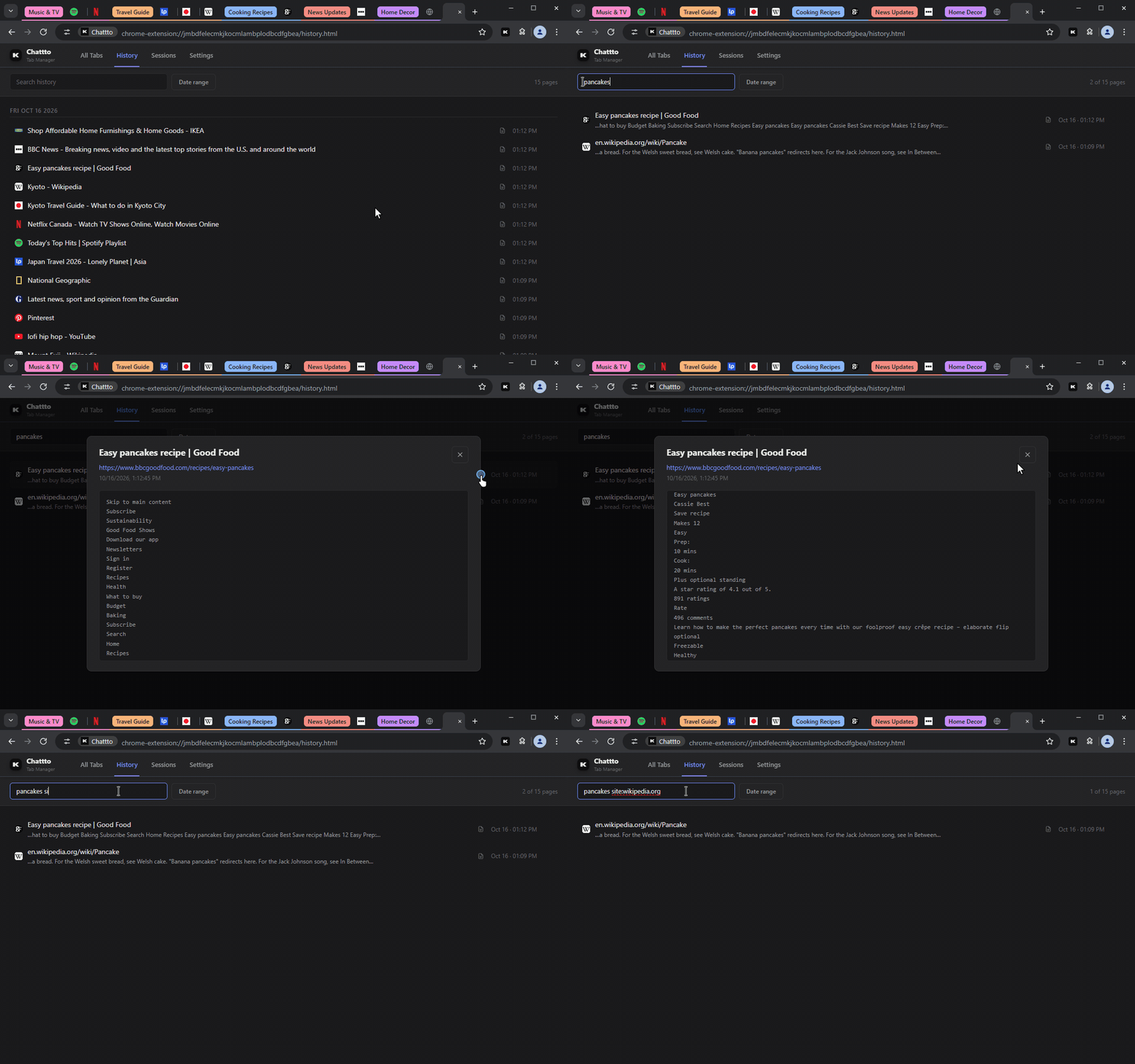
Every page you visit, with its text, on a day-by-day timeline. Search inside what pages said, see the passage that matched, and narrow it down by site or date. Open a page's saved copy, stored on your device.

Searchable history
03

Every Tab at a Glance

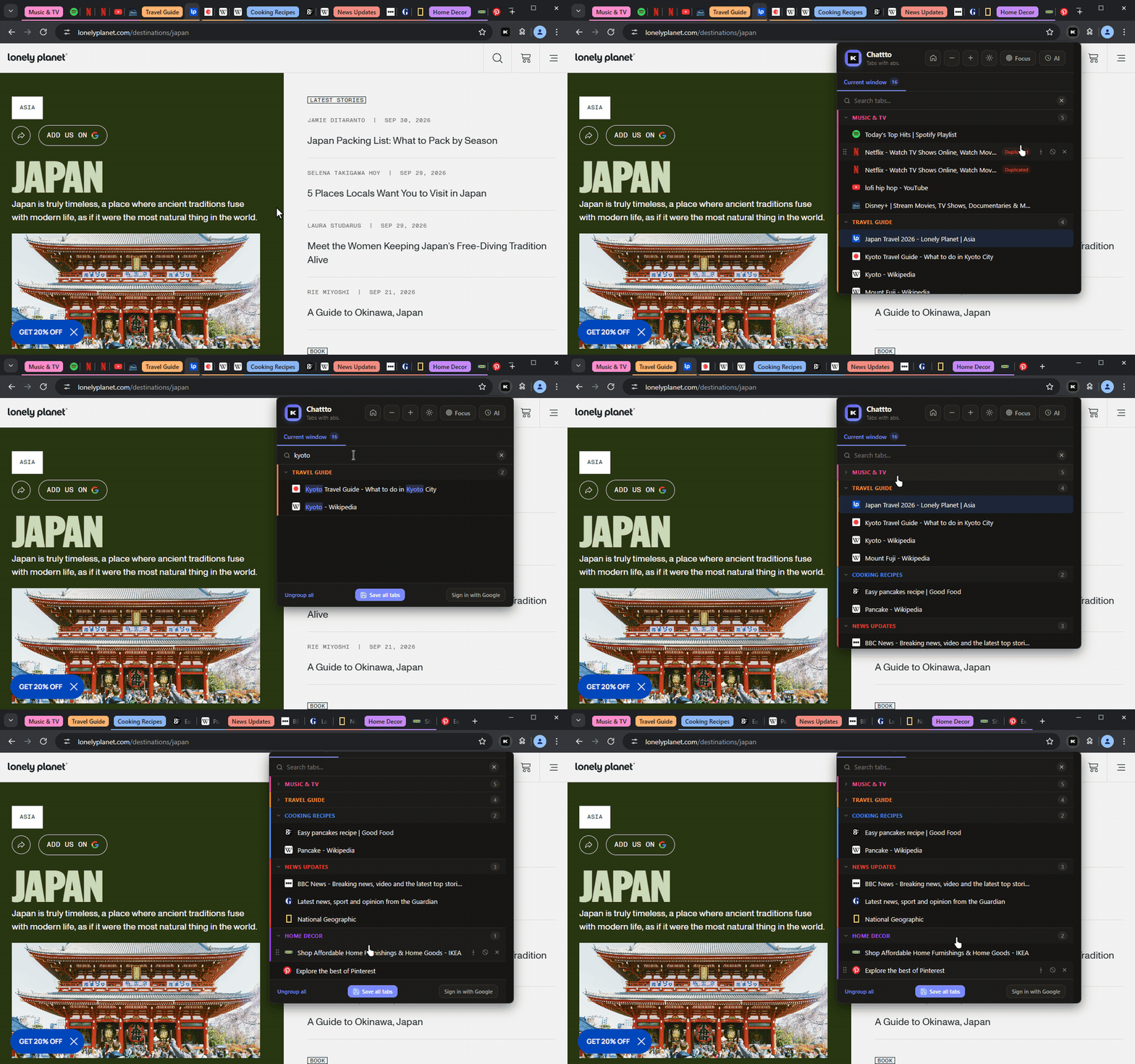
Click the Chattto icon to see a window's tabs and groups in one list, and switch between your windows. Find a tab as you type, spot duplicates at once, and drag tabs to reorder them or into a group.

Every tab at a glance
04

Tab Manager

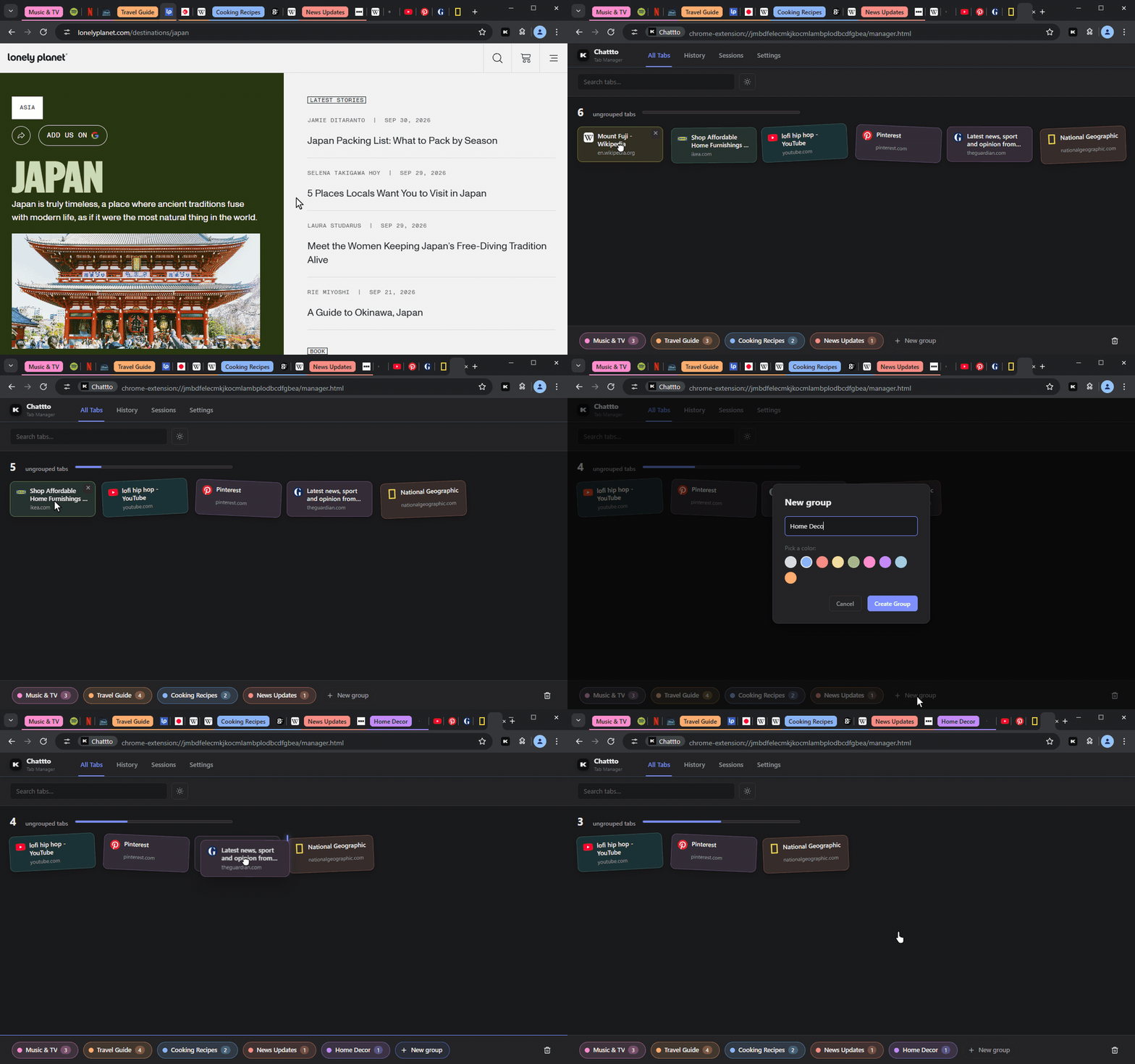
A window's loose tabs laid out on one table. Drag them onto a group, into a new one, to another window or into the trash, and drag tabs and groups to put them in order.

Tab manager
05

Site Rules

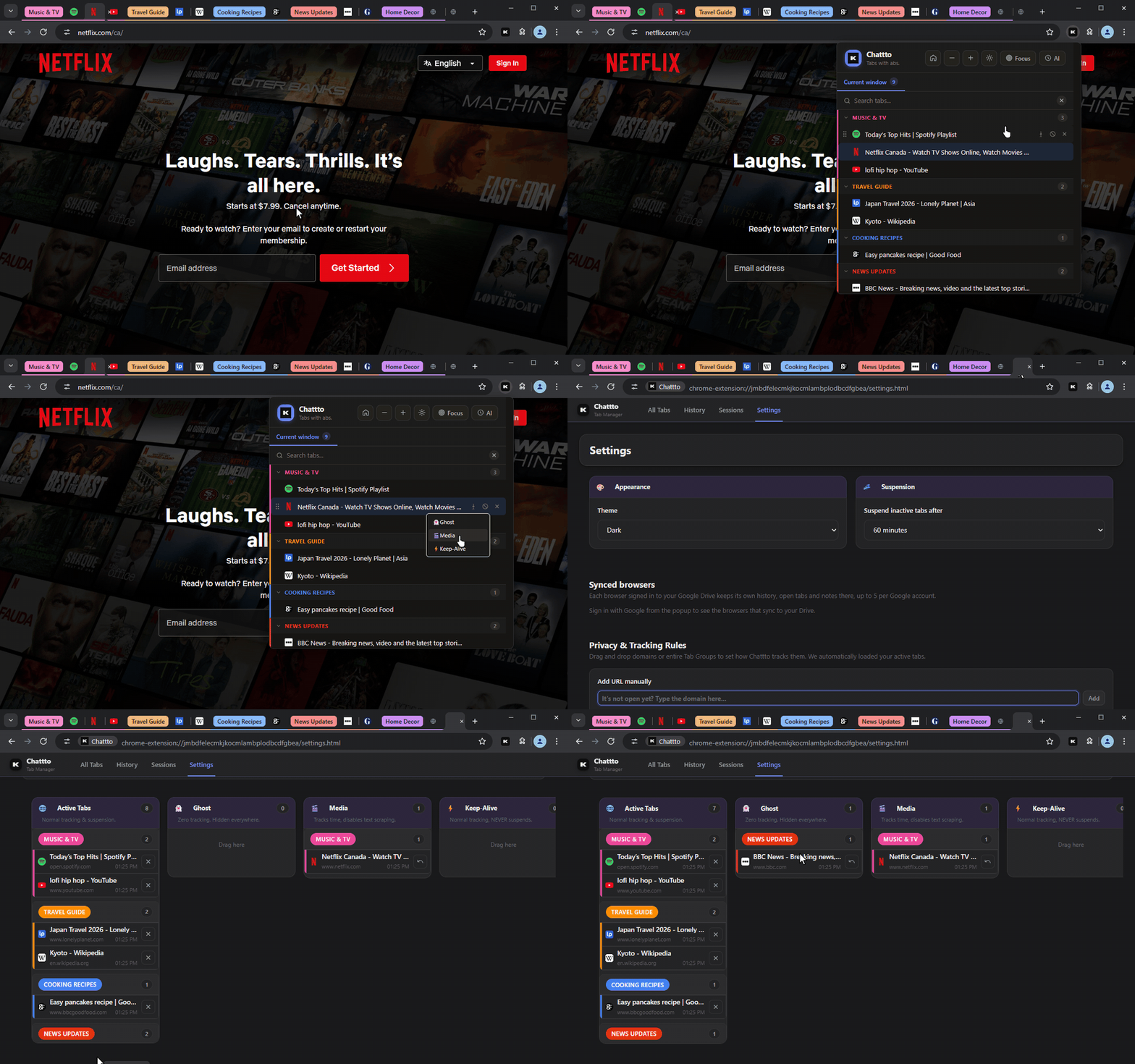
Decide how Chattto treats a site or a single page. Ghost records nothing and hides it everywhere. Media tracks time but saves no text. Keep-Alive is never put to sleep. Set them from the popup, or drag tabs between columns in Settings.

Site rules
06

Tab Suspension

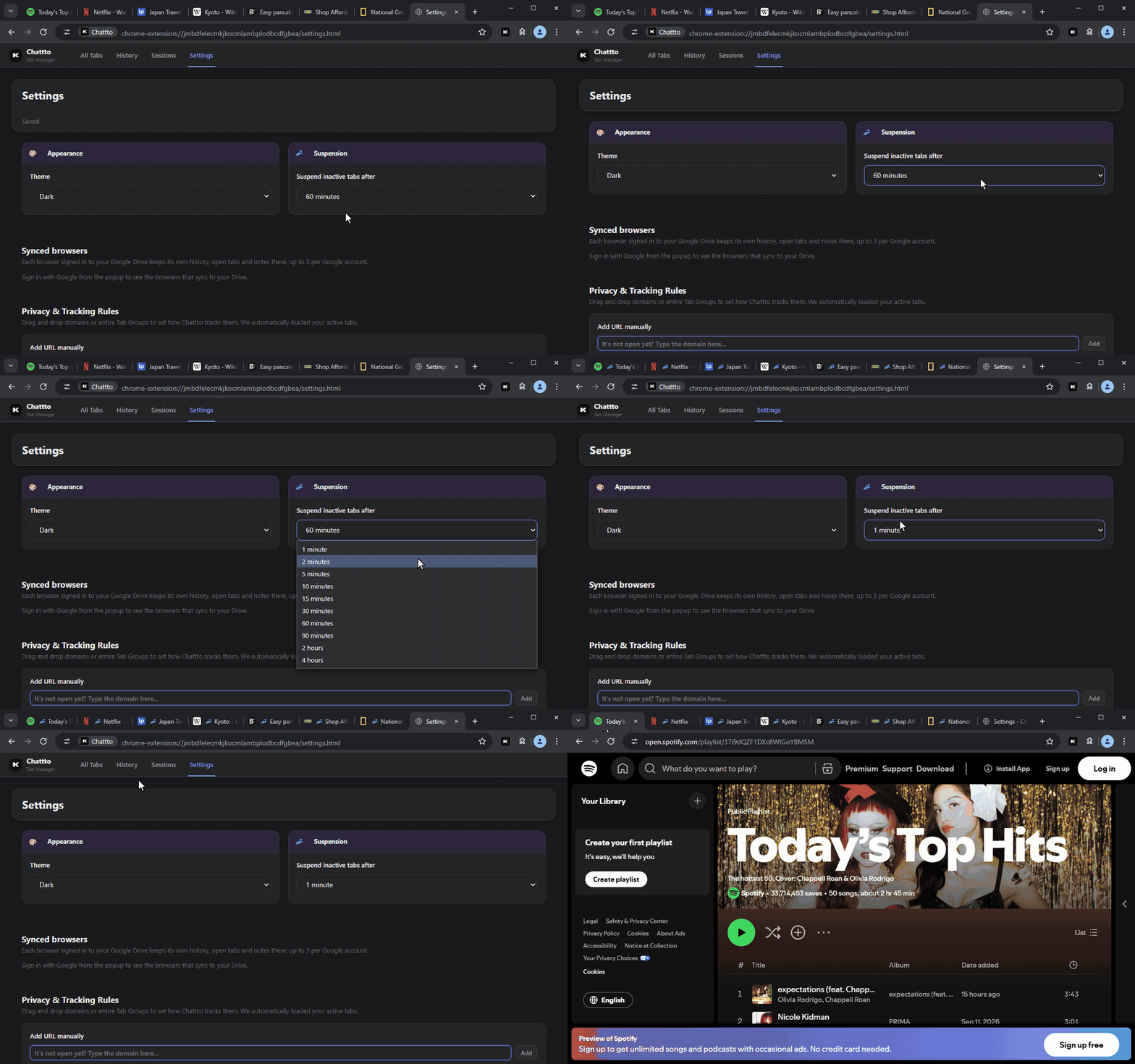
Tabs you have not used for a while are unloaded to free memory, after anything from one minute to four hours. Click one and it comes back. Pinned tabs, tabs playing audio and Keep-Alive sites stay awake.

Tab suspension
07

Save & Restore Sessions

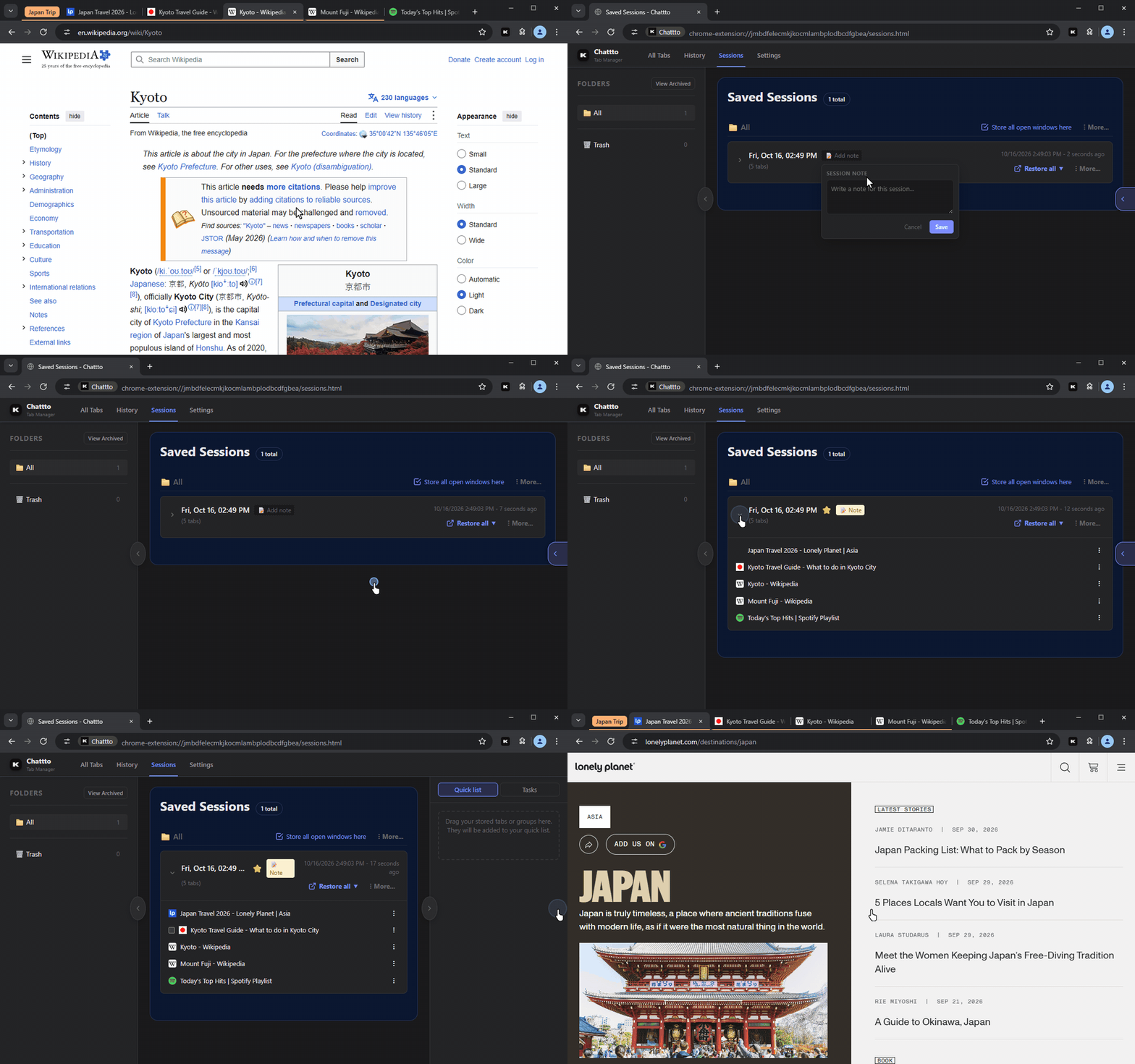
Save all tabs keeps the window as a session and closes it, or store every open window at once. Restore them later in a new window or this one, sort them into folders, star them, add notes, and mark tabs as pending tasks. Coming from OneTab? Paste its export.

Saved sessions
08

Share Sessions

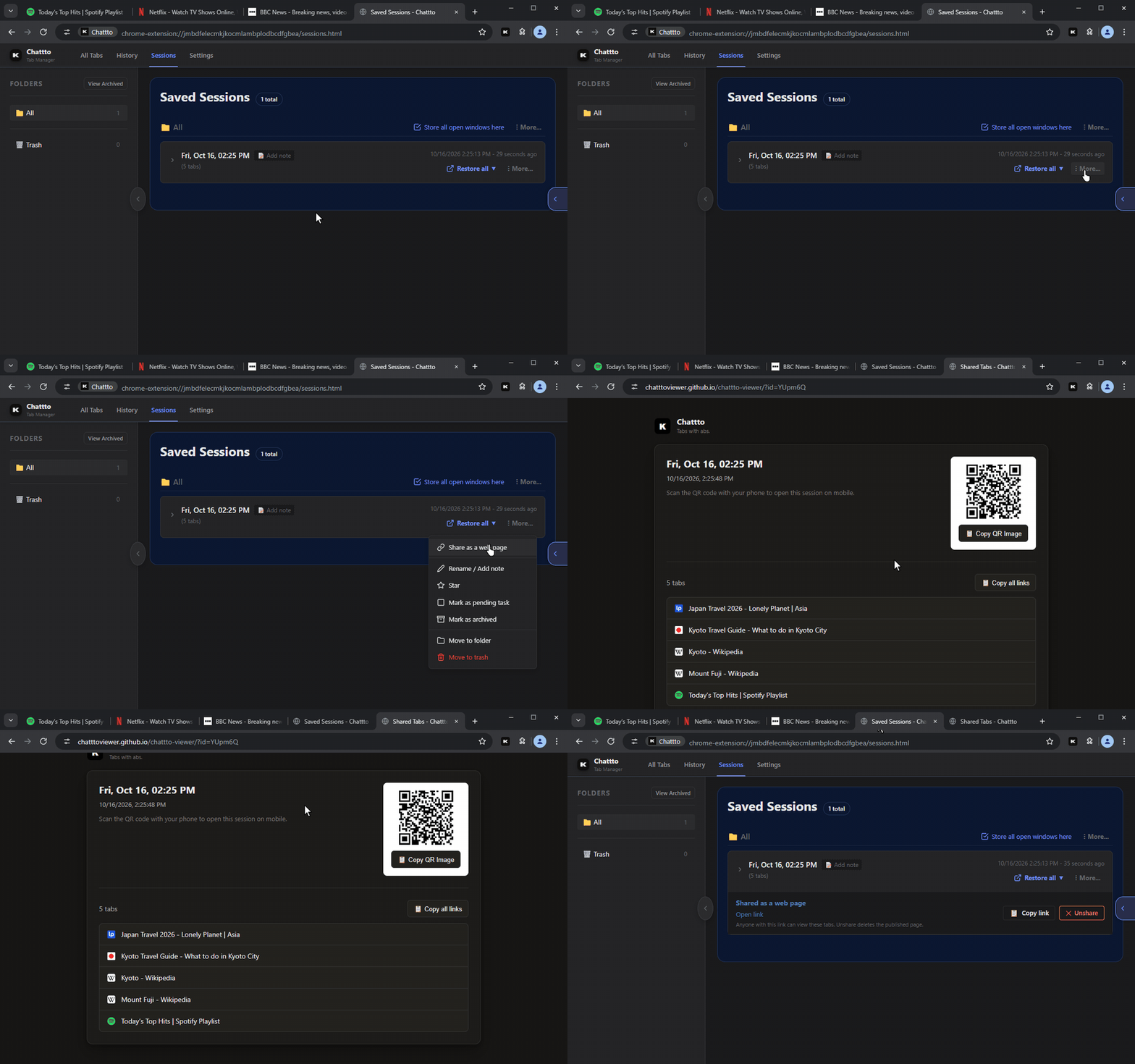
Turn a session into a web page with a short link anyone can open. Shared pages expire after 30 days.

Share a session
09

Focus Mode

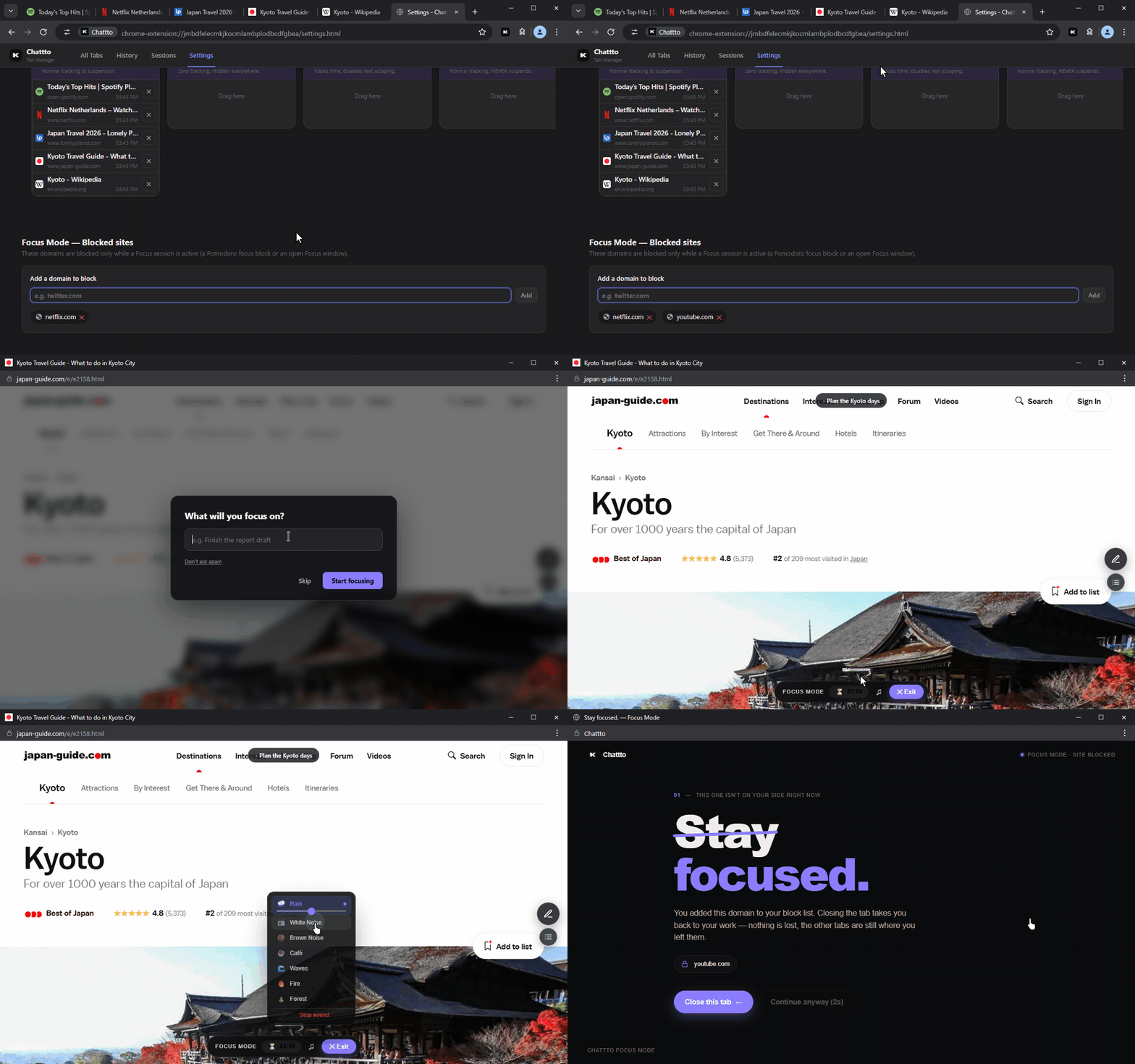
Open a tab in a window of its own, with no tab strip. Run a Pomodoro timer, play rain, waves or café sounds, set what you are working on, jot down stray thoughts for later, and keep distracting sites blocked while you focus.

Focus mode
10

Google Drive Backup

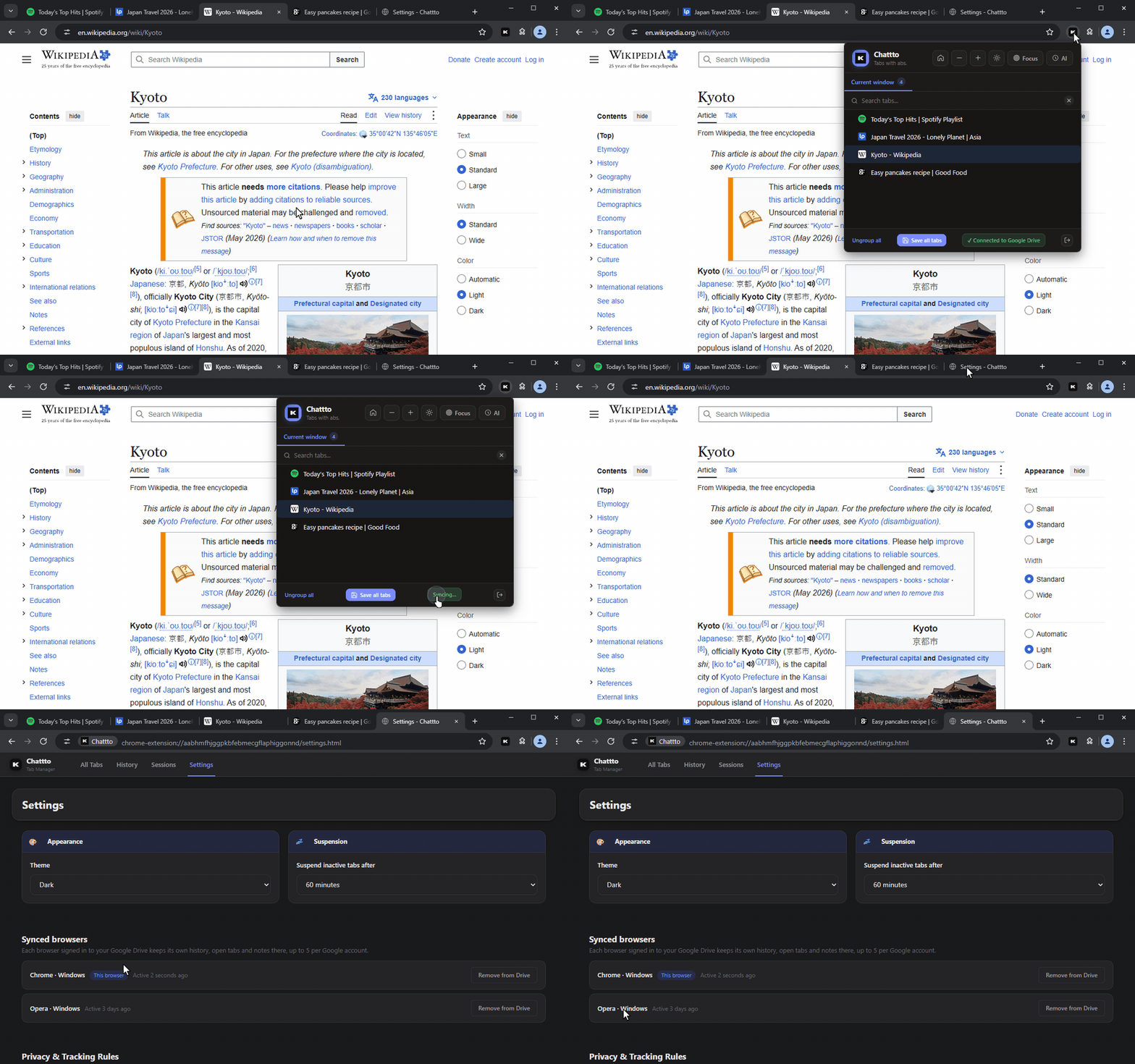
Back up your open tabs, your history with its text, quick notes and rules to your own Google Drive. Chattto only sees the files it creates there, and nothing passes through our servers. Each browser keeps its own folder, up to five per Google account.

Google Drive backup

Ready to tame your tabs?

Join thousands of users who organize smarter, not harder.